
When you log into FactoryLogix Materials Management and select Inventory Audit Plans, the Administration tab provides information about all active, pending, on hold, and completed inventory audit plans. All saved inventory audit plans assigned to you as an audit plan manager are displayed in a grid view so you can track and manage your audit plans and take action if there are any incomplete plans or other issues.
Important
You must be assigned as an audit plan manager for one or more inventory audit plans in order to see and use the Administration tab.
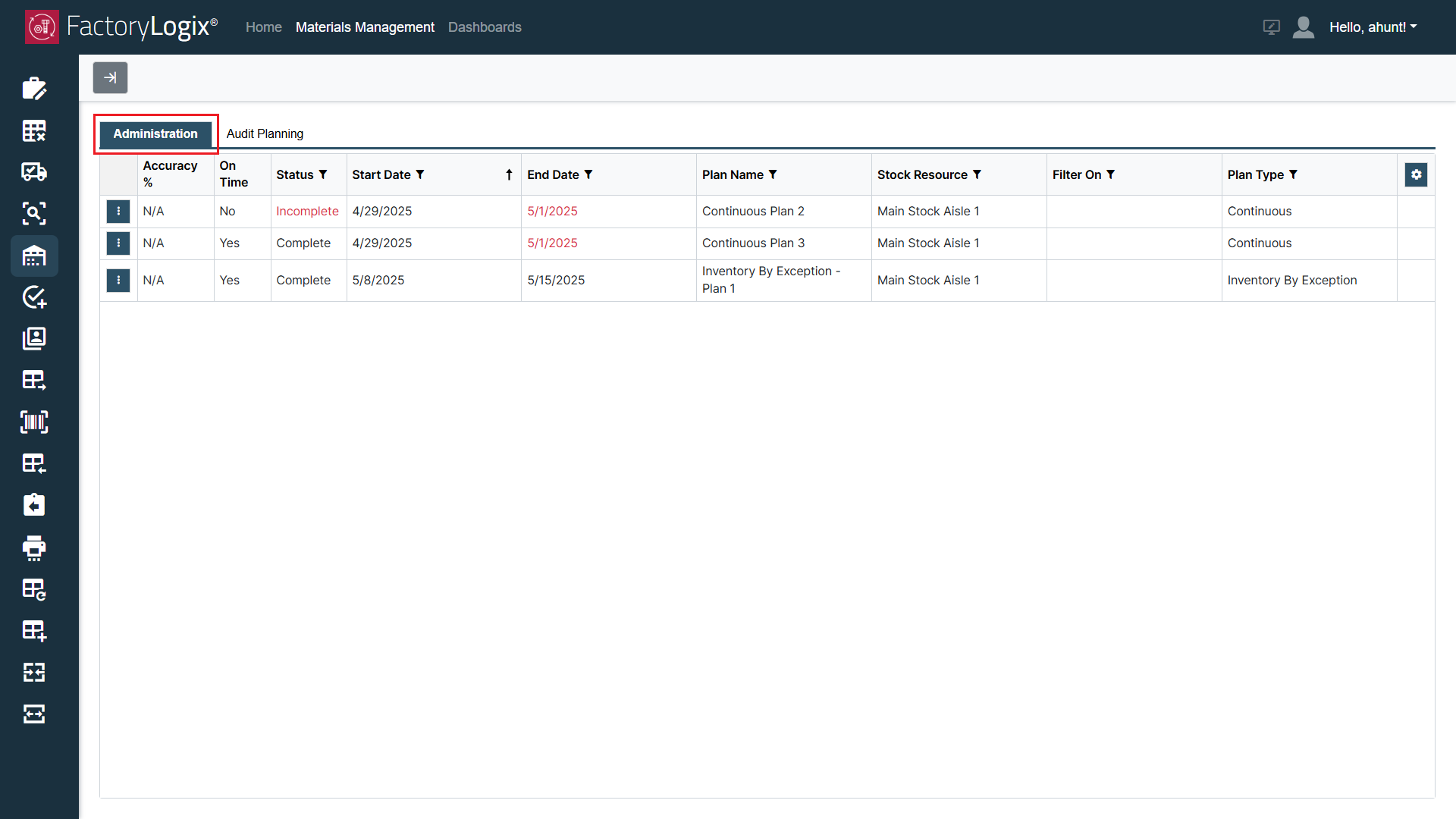
Administration options for audit plan managers
The Administration tab lists the specific manager’s plans and the associated plan attributes as described in the following table. See Audit plan administration: progress, results, escalations for more information.
|
Item |
Description |
|---|---|
|
Accuracy % |
|
|
On Time (Y/N) |
|
|
Status |
|
|
Start Date |
|
|
End Date |
|
|
Plan Name |
|
|
Stock Resource |
|
|
Filter On |
|
|
Plan Type |
|