
The Color Settings tab in the Edit Selected Audit Plan Definition window allows audit planners to select a different color for highlighting accuracy and schedule issues in the Administration view.
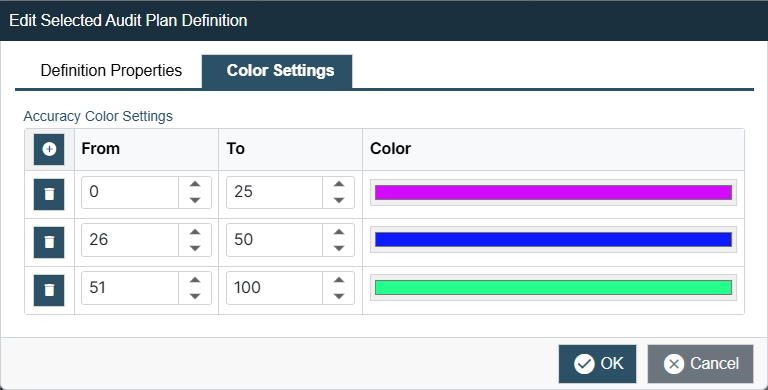
Accuracy Color Settings – Allows planners to define multiple percentage ranges to set a specific color against. Planners can add as many ranges as necessary using the Add button. The default color for each new row is Red.
Schedule Color Settings - Allows planners to select a color to highlight three basic static states of an audit plan for monitoring the schedule:
-
Behind Expected Time/Not Completed – Default set to Red
-
On Time/Completed – Default set to Green
-
Ahead of Expected Time – Default set to Blue