Hinweis
Eine Maßeinheit wird in FactoryLogix auch als Ausgabeeinheit bezeichnet.
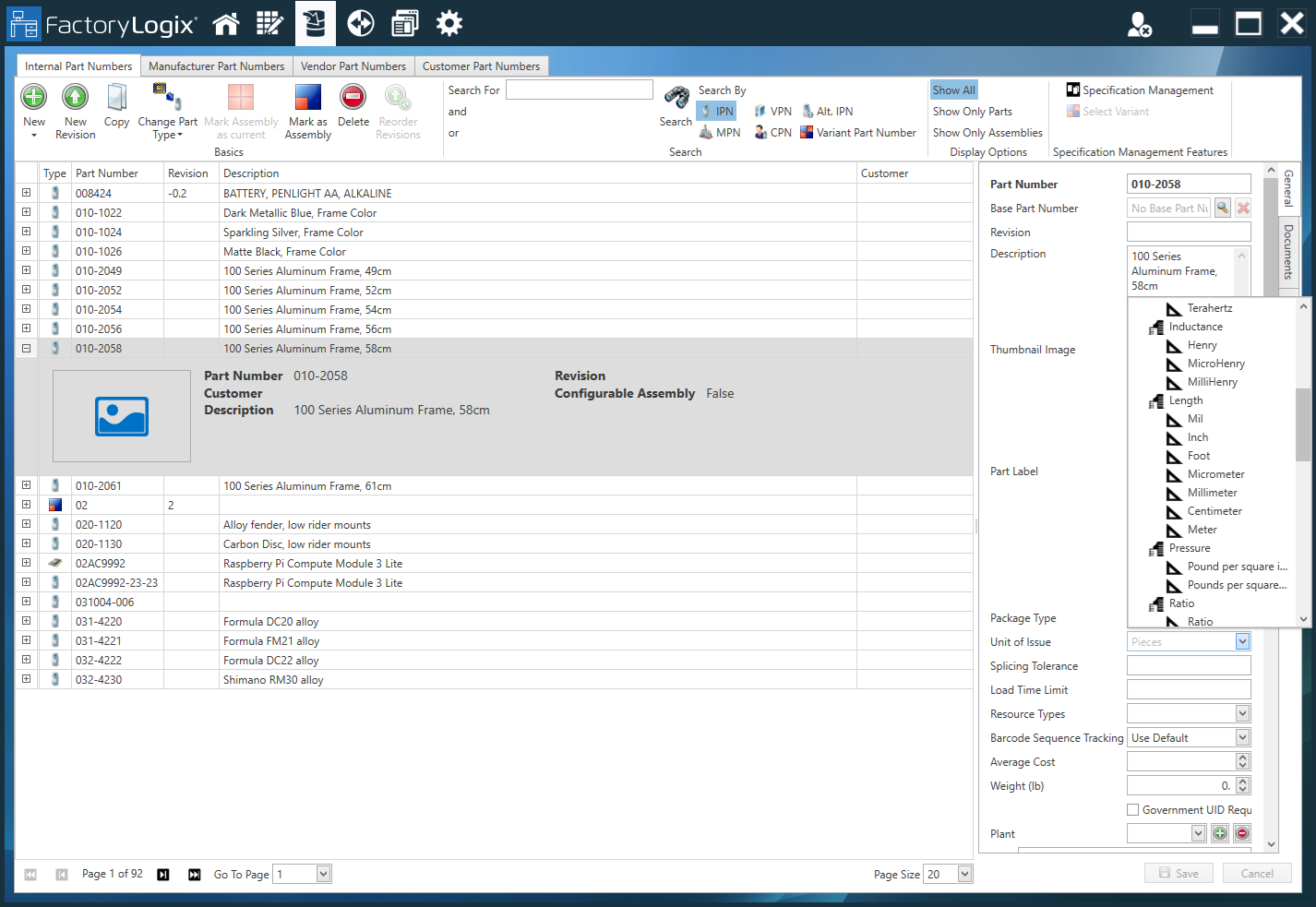
In der Bauteilbibliothek von FactoryLogix Office können Sie die Ausgabeeinheit unter der Registerkarte Interne Sachnummer (IPN) mit Hilfe des Drop-Down-Menüs “Ausgabeeinheit” ändern.
Warnung
Bitte wägen Sie eine Änderung der Ausgabeeinheit sorgfältig ab!
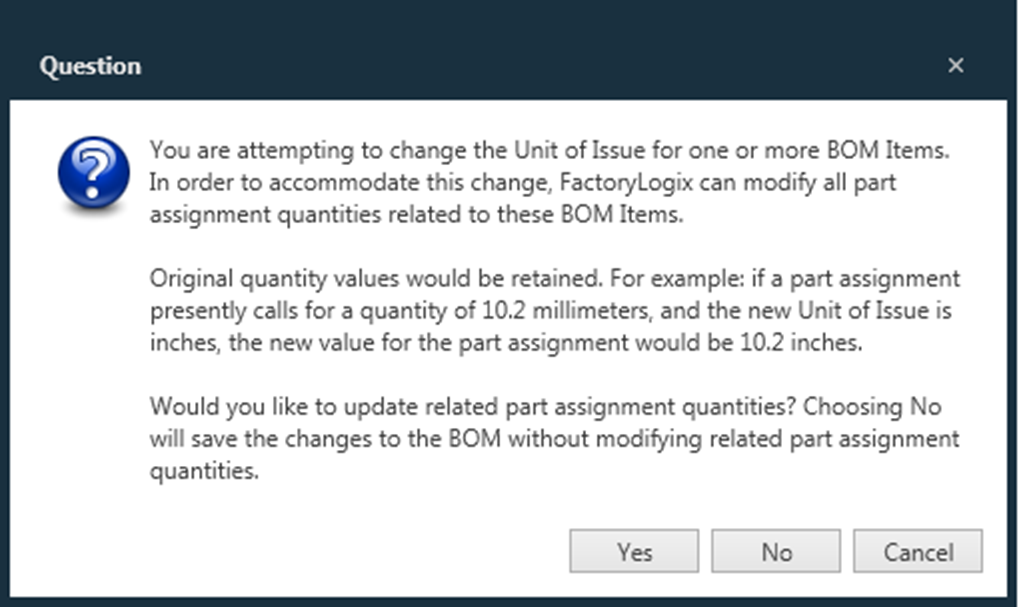
Wenn Sie das Feld „Ausgabeeinheit“ für ein Bauteil in der Bauteilbibliothek ändern, passt FactoryLogix alle Mengenwerte für dieses Bauteil systemweit an – einschließlich alternativer Bauteile und deren Mengenwerte.
Beachten Sie außerdem, dass bei einer Änderung der Ausgabeeinheit die ursprünglichen Mengenwerte beibehalten werden. Wenn beispielsweise eine Stücklistenposition eine Menge von 10,2 Zoll hat und Sie die Ausgabeeinheit auf Zentimeter ändern, beträgt die Menge 10,2 Zentimeter.
Wen Sie für eine Sachnummer eine unpassende Ausgabeeinheit ausgewählt haben und auf Speichern klicken, wird Ihnen folgendes Fenster angezeigt.