
KB Article
Issue
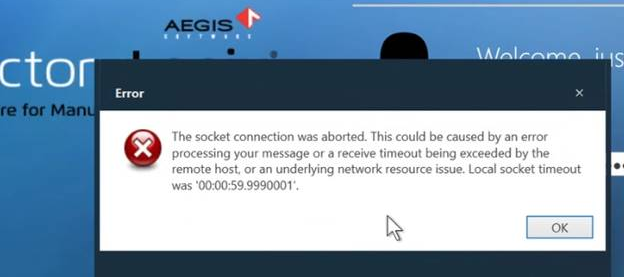
When logging in to any FactoryLogix application, a "socket connection was aborted" error prevents login. This error may be caused by a licensing issue. It can occur when a license dongle is in use and the license server runs out of disk space, corrupting the *.lic file in the FactoryLogix Server folder. This file controls which licensed options are available.
Prerequisites
-
Perform all steps on the license server machine.
-
Ensure you have access to the original *.lic file from your installation email or contact your manager to get a copy.
Resolution
-
Open the File Explorer on the license server and confirm that free disk space is available.
-
Log into FactoryLogix Office.
-
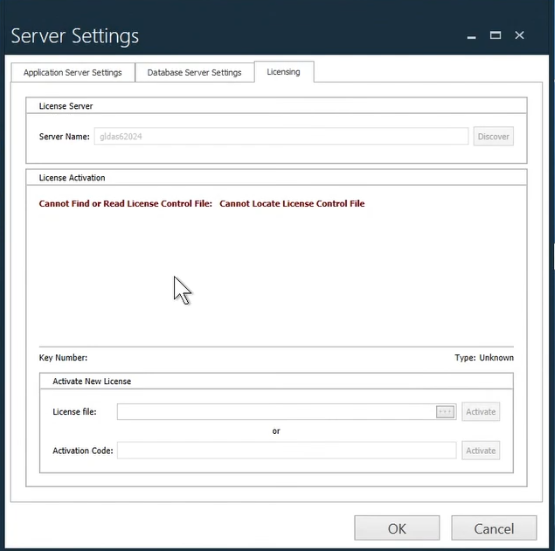
Select Settings > Licensing and confirm that a licensing error is displayed.
-
Navigate to C:\Program Files (x86)\Aegis\FactoryLogix Server.
-
locate the *.lic file and note its file size.
-
Compare the file size of the *.lic file against the original *.lic file provided in your installation email. If the sizes don't match, the file is corrupted.
-
Delete the corrupted *.lic file from C:\Program Files (x86)\Aegis\FactoryLogix Server. Do not rename the file—you must delete it or move it out of the folder.
-
Copy the valid *.lic file from your installation email to C:\Program Files (x86)\Aegis\FactoryLogix Server.
-
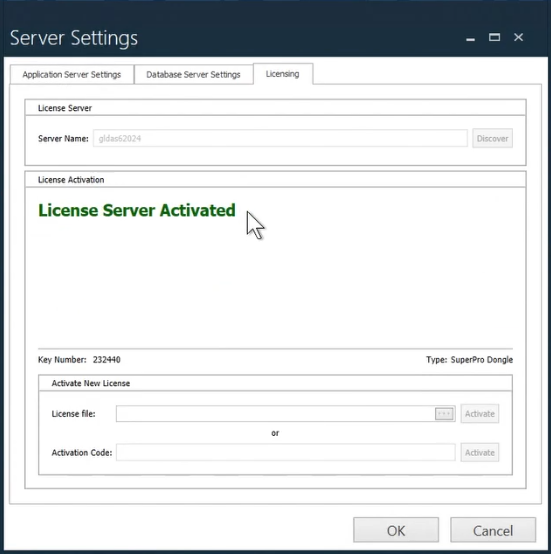
Restart the FactoryLogix Application Service—the login error should no longer happen.
Warning
Renaming the corrupted *.lic file will not resolve the issue. The file must be deleted or moved before replacing it with the valid file copy.