
There may be times when you need to rename an assembly by modifying its part number or revision number.
-
Log into FactoryLogix Office.
-
Select Libraries >

-
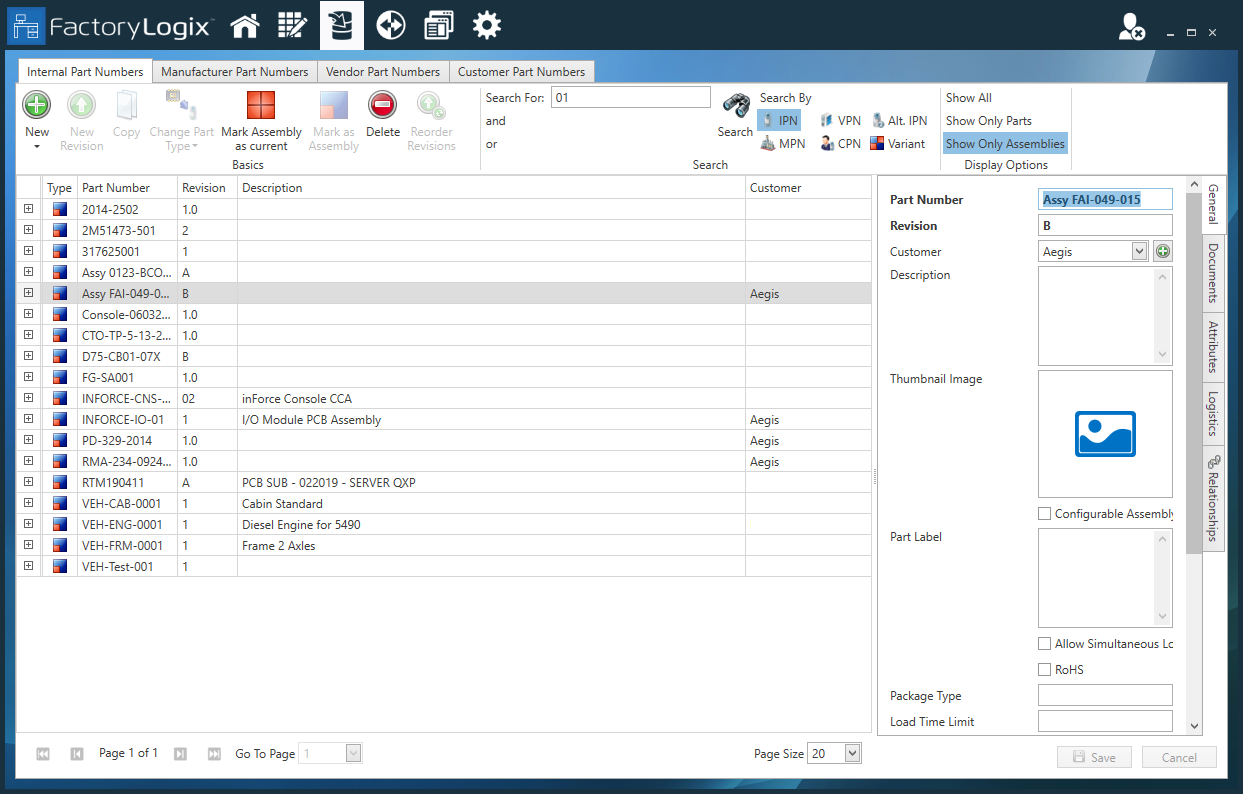
In the Part Library window, use the Search field to locate the assembly. (Select Show Only Assemblies on the toolbar to filter the search results by assemblies.)
-
Select the assembly, then enter a new part number in the Part Number field on the right side of the window (General tab).
-
To enter a new revision number, enter a new value in the Revision field.
-
Make any other desired changes on the General tab, then select Save.