
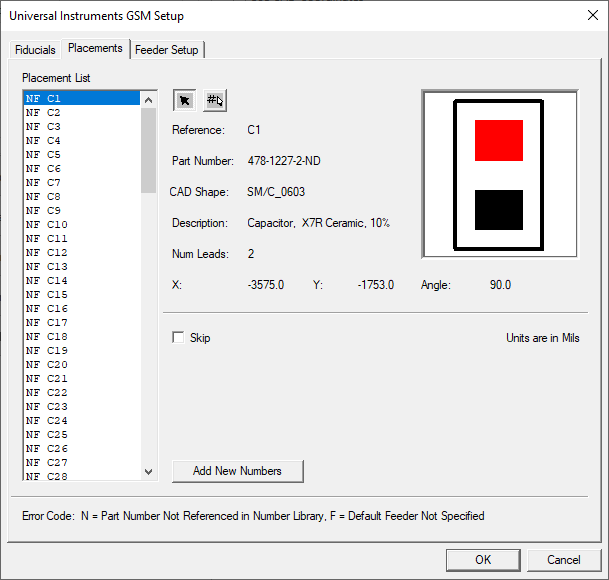
The Placements tab is used to add new part numbers to the Universal GSM database if they do not currently exist.
|
Option |
Description |
|---|---|
|
Placement List |
Displays a list of all placements for the board. |
|
Select Placements by Reference |
Lets you select individual placements from the Placements List by reference designator. |
|
Select Placements by Part Number |
Lets you select multiple placements that have the same package from the Placements List. |
|
Skip |
Allows you to skip any component or components in the Placements List from being placed in the Universal job file. |
|
Detail |
Provides details about the selected placement in the Placement List such as list reference, part number, description, CAD shape, number of leads, X and Y location, and placement angle rotation. |
|
Add New Numbers |
Removes any errors that exist in the Placement List and adds any new part numbers into the FactoryLogix GSM database.
|
|
Error Codes |
N=Part Number Not Referenced in Number Library. Allows you to see if this part number or numbers already exist in the data library. |