
Under rare circumstances, it may be necessary to flash a new SD Card image of the Windows IoT Core Operating System and the inForce application.
-
Download the https://docs.microsoft.com/en-us/windows/iot-core/connect-your-device/iotdashboard from Microsoft.
-
Contact Aegis Technical Support to get a new Flash.ffu file, then download the file.
-
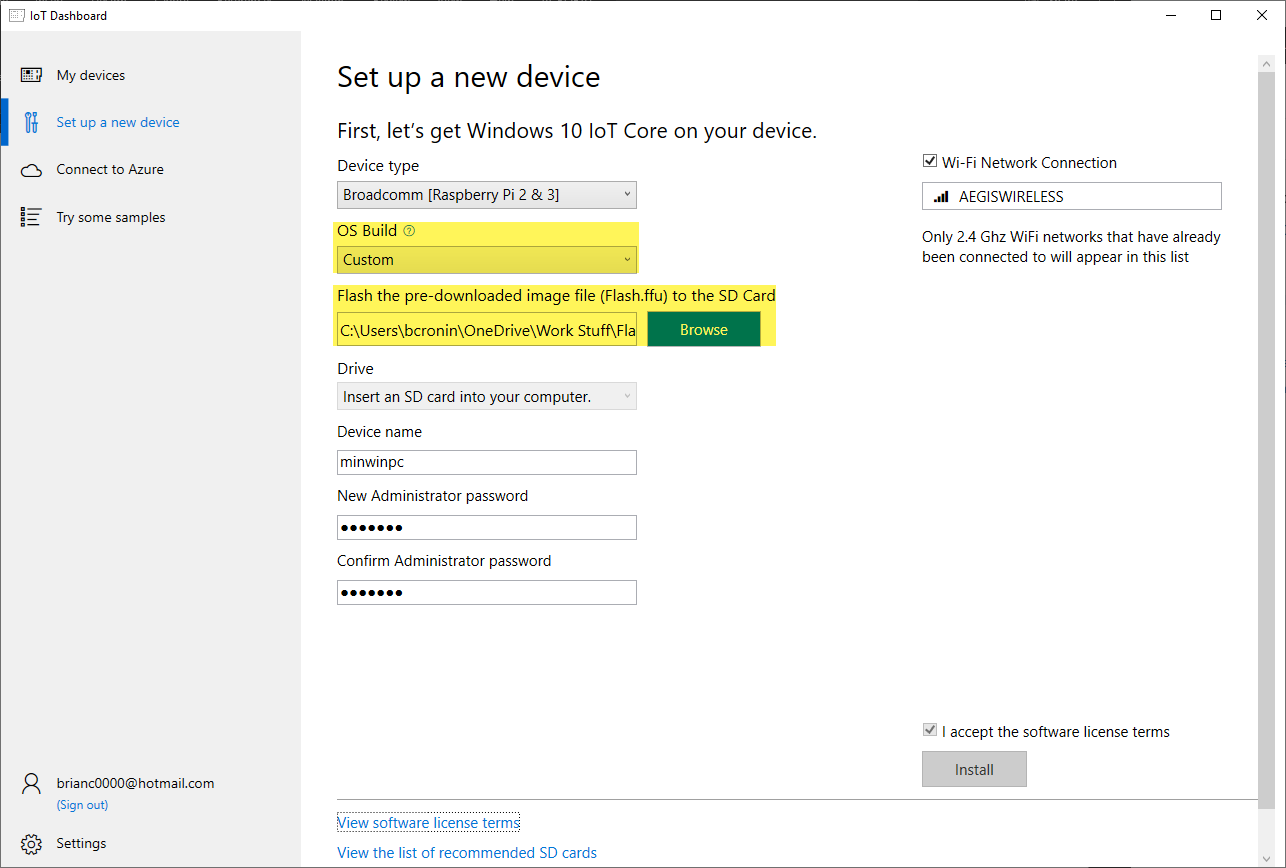
Launch the Windows 10 IoT Core dashboard, then select Set up a new device.
-
Change the OS Build to Custom, then select Browse to locate the Flash.ffu file.
-
Insert an SD Card 8GB (or more) in your computer, enter the desired New Administrator Password, then enter the password again under Confirm Administrator password.
-
Select I Accept the software license terms, then select Install.
-
Insert the SD card into the slot on the inForce PCB (inside of the unit).