
After you specify a machine and add programming to your process definition in FactoryLogix Office, you're ready to edit the machine-specific properties and make any necessary changes.
Note
Editing machine properties settings is a task you typically do one time and only modify when necessary.
-
Under Line Programming in the Process tree, select Yamaha under the operation you assigned it to previously (Auto Place, for example).
-
In the Machine List window to the right of the Process tree, select the Edit Properties

The Yamaha Properties dialog has three tabs: General, Number Library, and Package Library.
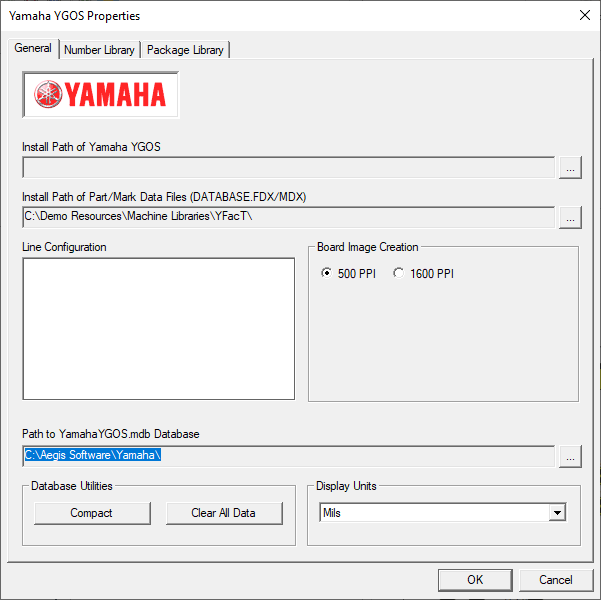
General tab
|
Option |
Description |
|---|---|
|
Install Path of Yamaha YGOS |
Specifies the path to the location where the Yamaha YGOS software is installed. |
|
Install Path of Part/Mark Data Files (DATABASE.FDX/MDX) |
Specifies the location of the Yamaha parts database. |
|
Line Configuration |
Displays the line configuration for the Yamaha machine. |
|
Board Image Creation |
Specifies the PPI (Pixels per Inch) used to display the board: 500 PPI or 1600 PPI. |
|
Path to YamahaYGOS.mdb Database |
Specifies the full path to the location of the Yamaha YGOS database (*.mdb). |
|
Database Utilities |
Compact - Compacts the Yamaha YGOS database. Clear All Data - Deletes all data in the Yamaha YGOS database. |
|
Display Units |
Specifies the display units for parts (Mils, Millimeters, or Inches). |
Number Library tab
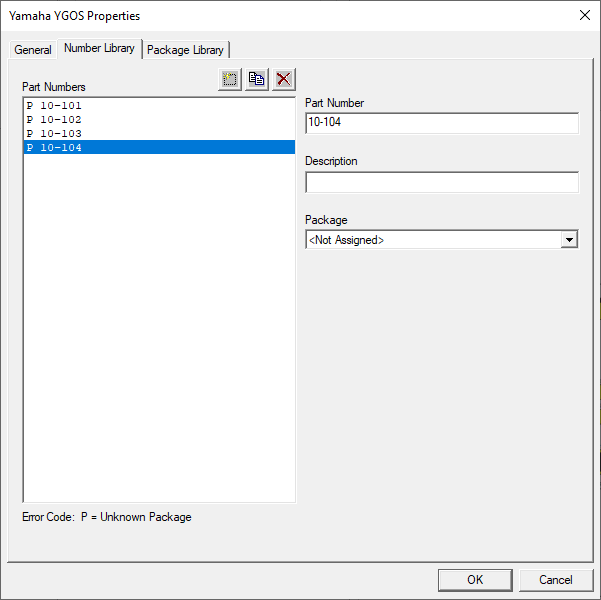
|
Option |
Description |
|---|---|
|
Part Numbers |
Displays all part numbers for the board Add new Record button - Adds a new part number to the Part Numbers list. Duplicate Record button - Duplicates the selected part number. You are prompted to enter a new name for the duplicated part number. Delete Record button - Deletes one or more selected part numbers in the Part Numbers list. |
|
Part Number |
Displays the part number selected in the Part Numbers list. |
|
Description |
Displays the (optional) description associated with the selected part number. |
|
Package |
Displays the package associated with the selected part number. |
|
Error Code |
The error code P represents an unknown package. |
Package Library tab
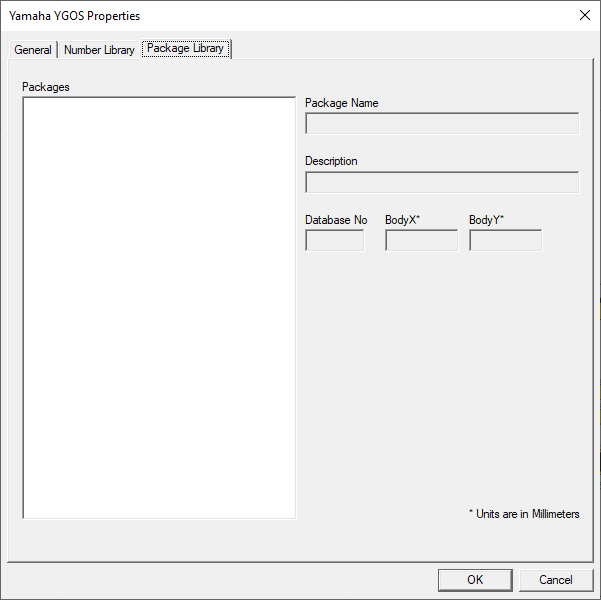
|
Option |
Description |
|---|---|
|
Packages |
Displays all available packages. |
|
Package Name |
Displays the name of the selected package. |
|
Description |
Displays an (optional) description for the selected package in the Packages list. |
|
Database No |
Consult your Yamaha documentation for details about this setting. |